
How Coaching Institutes Can Run Mock Tests with OMR Sheets

Mock tests are the backbone of exam coaching — but only if results come back fast enough to be useful. A rank list that arrives three days after the test tells students almost nothing they can act on; a rank list that arrives the same evening tells them exactly what to fix before the next one. This guide walks through a five-step OMR workflow institutes can run every single week without it eating a full day of staff time, plus what to do with the data once you have it.
New to OMR sheets generally? Start with What Is an OMR Sheet? Running this for a school rather than a coaching institute? See the complete OMR solution for schools.
1. Build a Reusable Sheet
Create your standard mock test layout once through the generator — your institute’s logo, question count, options per question, and a roll-number bubble grid — and save it as a template. Every future mock test then starts from a one-click regeneration instead of a fresh setup, which matters most for institutes running the same test structure on a recurring weekly or biweekly schedule.
2. Use Booklet Sets to Prevent Copying
For a large testing hall, print multiple shuffled versions (Set A, B, C…) of the same question paper so adjacent test-takers don’t share a question order. Each booklet set gets its own matching answer key generated automatically, and a set-code area on the sheet itself makes it easy to sort filled sheets back into the right group before grading.
3. Conduct and Collect
Give students a brief demonstration of how to fill the sheet correctly before the test starts — this single step prevents most of the filling mistakes that cost marks later. Administer the test, then collect sheets in clean, flat condition: avoid stapling near the corners, and keep the stack away from folds, since both can interfere with automatic scanning. For a full pre-exam routine, see our guide to common OMR filling mistakes, which includes a 2-minute invigilator checklist.
4. Grade the Same Day
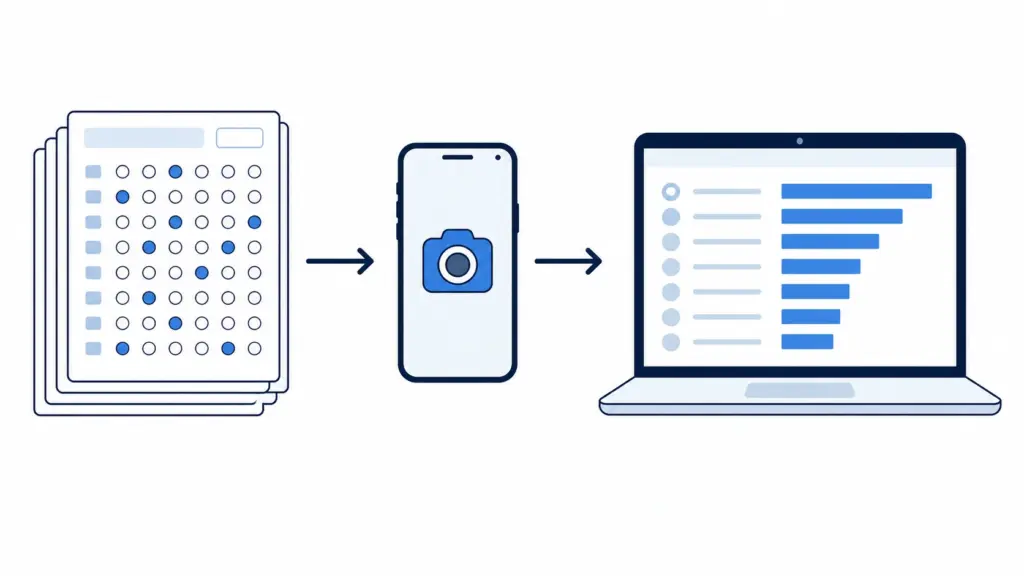
Enter responses manually for a small batch, or use Scan & Grade to read filled sheets automatically from a phone photo or scan — either way, apply your marking scheme (including negative marking, if your target exam uses it) at the same time. For a full comparison of the two approaches, see How to Check OMR Sheets Automatically: Manual vs Scanner.
5. Publish Results and Analyse
Generate PDF report cards for individual students and an Excel record for institutional tracking. Built-in item analysis flags which questions the whole batch struggled with — often a sign the question itself was ambiguous rather than a gap in student knowledge — so you’re not just handing back scores, you’re handing back a diagnosis of what to teach again.
How Often Should You Run Mock Tests?
There’s no single right cadence, but it tracks the phase of preparation a batch is in. Early in the course, monthly or biweekly mock tests on smaller question counts (50–100 questions) are usually enough to build the habit of sitting a timed test without burning students out. As the real exam approaches — typically the final two to three months — weekly full-length mocks that match the target exam’s exact format (180 questions for NEET, 90 for JEE-style sectionals) matter more than variety, since the goal shifts from coverage to pacing and stamina under real exam conditions.
The mistake worth avoiding in either direction: running mocks so frequently that grading and feedback can’t keep up. A weekly full-length test that gets reviewed same-day is worth more than three tests a week that pile up ungraded, because a mock test’s entire value depends on the feedback loop closing while the material is still fresh.
Turning Mock Results Into a Study Plan
A single test’s item analysis tells you what one batch struggled with on one day. The real value shows up once you’re comparing several mock tests back to back — a question type that’s shown up as a weak spot across three consecutive tests is a much stronger signal than one bad result, and it’s usually worth a dedicated revision session rather than a passing mention in class.
Section-wise scores do the same job at a coarser level: if a student’s overall rank is dropping but their Physics section score is climbing steadily, that’s useful information a single combined percentage would hide entirely. Saved grading history lets you pull up a student’s or a batch’s trend across the whole test series rather than re-deriving it from a stack of old report cards.
Mock-Test-Day Logistics Checklist for Institutes
Most mock test problems trace back to logistics rather than the OMR sheet itself. A short pre-test routine catches nearly all of them:
- Print with a buffer — generate 5–10% more sheets than your expected headcount, so a damaged or misprinted sheet doesn’t mean scrambling for a replacement mid-test.
- Assign booklet sets to seats in advance, not on the fly, so invigilators aren’t manually shuffling versions while a room full of students waits.
- Brief invigilators on the answer key handling — who collects it, when it’s distributed to graders, and where it’s stored until grading starts, since a misplaced key can stall same-day results entirely.
- Build in a timing buffer between the test ending and grading starting, so sheets can be sorted and stacked cleanly rather than rushed straight into scanning.
- For the student-facing side of things — pens, bubble-filling technique, roll number accuracy — see the full OMR filling mistakes guide, which is written to be shared directly with students before test day.
The Payoff
None of these five steps is complicated on its own — the value comes from running them as a single, repeatable routine rather than reinventing the process every test cycle. Once a template is saved and the logistics checklist becomes habit, mock testing stops being a special event that eats a full day of staff time and becomes just another Tuesday: sheets go out, sheets come back, results go out the same evening, and the item analysis tells you exactly what to teach next.
Ready to set up your first reusable mock test template? Generate your OMR sheet now, or explore the full question bank feature if you want to build and schedule tests from a stored bank of MCQs.
Frequently Asked Questions
-
How many students can one mock test batch handle?
There’s no hard cap built into the workflow — the same generator, booklet-set, and grading process scales from a single classroom of 30 up to institution-wide batches with several hundred students sitting the same test.
-
Should mock tests use the same negative marking scheme as the real exam?Generally yes — matching the real exam’s marking scheme (including negative marking, if it applies) is what makes mock scores a realistic preview of the actual test, rather than an easier practice run that doesn’t translate to exam-day pressure. See our <a href=”https://omrsheetmaker.in/negative-marking-explained/”>negative marking guide</a> for how to set this up.
-
Can I reuse the same OMR sheet template across multiple mock test cycles?
Yes — save a layout once as a template and regenerate it with a new question set for each cycle, rather than rebuilding the format from scratch every time.
-
Can students check their own results without waiting for one-on-one feedback?
Yes, the “Publish & share results” option creates a private results page students can look up by their own roll number, removing the need to read out marks in class or field individual queries after every test.
-
Is there a way to track a student’s progress across an entire mock test series, not just one test?
Yes — grading history is saved per student, so item analysis and section-wise scores can be compared test over test to spot trends a single result wouldn’t show.