
5 Common OMR Filling Mistakes (and How Students Can Avoid Them)
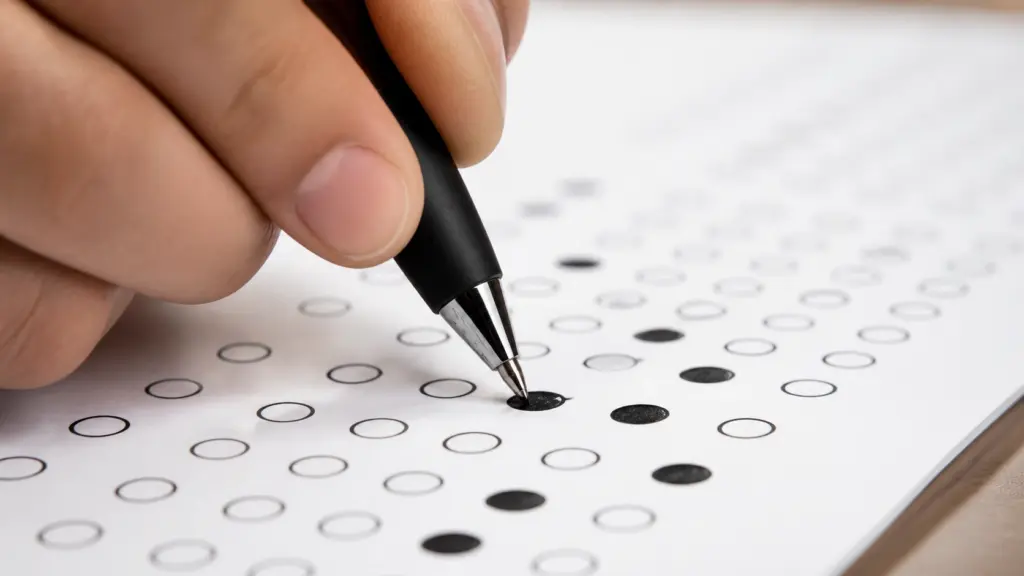
OMR scoring is only as good as the marks on the page. A handful of avoidable mistakes cost students real marks every exam season — not because they didn’t know the answer, but because the scanner couldn’t read what they wrote. Share this list with students before their next test, and see the invigilator checklist further down if you’re the one running the exam.
1. Using the Wrong Pen
Use a blue or black ballpoint pen unless the exam instructions specifically say otherwise, and darken each chosen bubble completely rather than lightly circling or ticking it. A pencil mark or a partially shaded bubble can fall below the darkness threshold a scanner uses to register an answer as filled, which means a genuinely correct answer can score as blank.
2. Filling More Than One Bubble
Marking two options for the same question is treated as an incorrect answer in almost every marking scheme — the same as leaving the question blank — even if one of the two darkened bubbles was the right answer. If an answer needs to change, the cleanest fix is a fresh sheet rather than trying to erase or scratch out the wrong mark, since a corrected bubble often still reads as ambiguous to a scanner.
3. Stray Marks and Folds
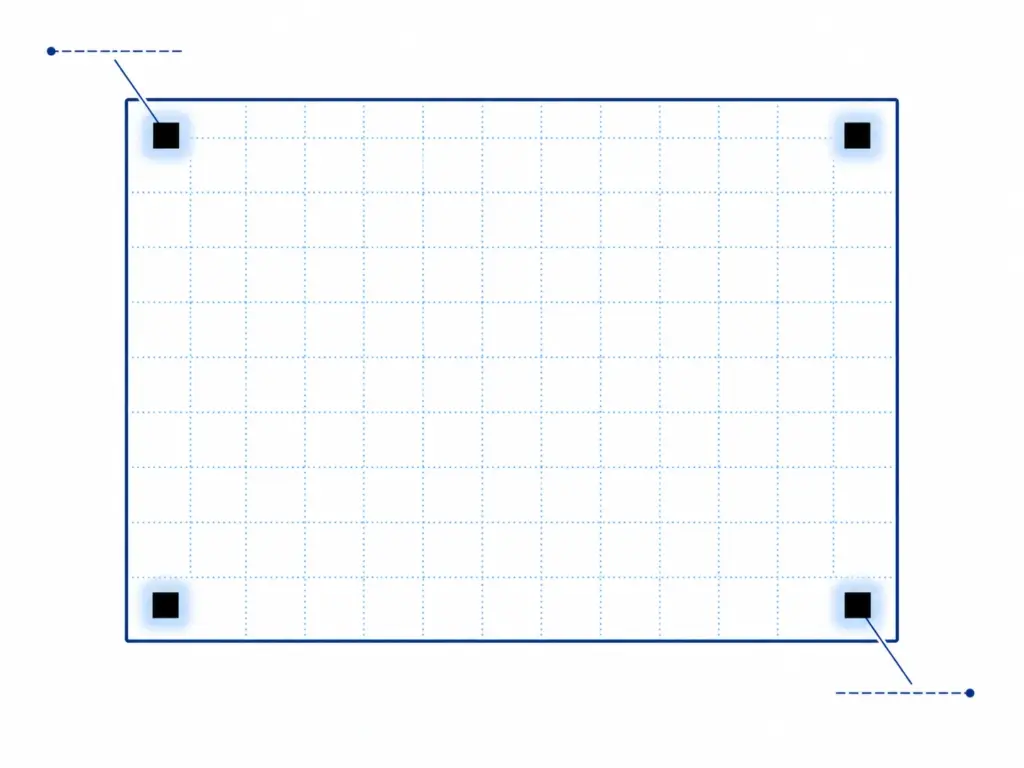
Doodles, accidental pen marks, and smudges near the bubble grid can be misread as an extra answer, and folded or bent corners can damage the registration marks the scanner relies on to orient the page. Keep the sheet flat throughout the exam, avoid resting a hand or elbow on it while thinking, and never fold it for storage or transport.
4. Misaligning the Roll Number
A roll number needs to be both written by hand in the header boxes and marked as bubbles in the grid below — missing either one is one of the most common causes of a result attaching to the wrong student. Double-check that the digits written and the digits bubbled actually match before moving on to the questions.
5. Going Out of Order
Skipping a question and then continuing to fill answers in the next available row shifts every subsequent answer up or down by one row — a single skipped bubble can silently invalidate the rest of the sheet. Always check the printed question number next to the row before marking an answer, especially right after skipping a question to come back to later.
For Teachers
A brief pre-exam routine prevents most of these five mistakes before they happen: read out clear filling instructions, show one correctly filled example bubble and one incorrectly filled one on the board or a spare sheet, and remind students specifically about the roll-number step, since that’s the error hardest to catch and fix after the test ends.
Why Scanners Reject Certain OMR Sheets (The Technology Behind It)
It helps students and teachers to understand what a scanner is actually doing, because it explains why the five mistakes above matter so much. Automatic checking works by first locating the four corner registration marks on the sheet — the solid black squares in the corners — and using them to calculate exactly how the page is rotated or skewed relative to a perfect scan. It then maps every bubble’s expected position onto that corrected image and measures how dark each one is to decide which option was marked.
This is why stray marks, folds and faint pencil shading cause problems: a smudge near a bubble can register as a second mark, a folded corner can hide or distort a registration square, and a light mark may not cross the darkness threshold the scanner uses to call a bubble “filled.” Rotation is also a factor — sheets photographed at a sharp angle become harder to align accurately, and very steep skew can break the alignment step entirely. Keeping the sheet flat, clean and photographed straight-on isn’t just tidiness advice — it’s what makes the underlying math work correctly.
A 2-Minute Pre-Exam Checklist for Invigilators
A short routine before the test starts prevents most of the five mistakes without needing to police every desk during the exam. Run through this before students begin filling their sheets:
- Pens on every desk — confirm each student has a blue or black ballpoint pen, not a pencil or gel pen, before sheets are distributed.
- Do a 30-second demo — show one correctly filled bubble and one incorrectly filled one on a spare sheet or the board.
- Call out the roll number step — remind students to both write the roll number in the boxes and darken the matching bubbles below; this is the single most common cause of a mismatched result.
- Check for staples near the corners — a staple or pin through a registration mark can make a sheet unreadable.
- Keep two or three spare sheets on hand per room in case one is damaged before the test starts.
None of this takes more than a couple of minutes, and it catches the mistakes that are hardest to fix after the fact — particularly roll number errors, which can attach a good score to the wrong student. For the institute-level version of this — booklet sets, timing buffers, answer key handling — see How Coaching Institutes Can Run Mock Tests with OMR Sheets
What to Do If a Mistake Happens After Submission
Even with a good pre-exam routine, mistakes slip through — the question is how to handle them without disrupting the whole batch. If it’s caught before the sheet leaves the room, the safest fix is a clean replacement: hand the student a fresh sheet rather than letting them overwrite a filled bubble, since a scratched-out mark often reads as ambiguous to a scanner just as it does to the human eye. This is one reason it’s worth generating a couple of extra sheets beyond your headcount — reprinting the same template takes seconds if you’ve saved it, so keeping spares costs nothing.
If the mistake is only discovered during checking — say, a roll number that doesn’t match any enrolled student — cross-check it manually against the name field before finalising results, since the name is usually still legible even when the roll bubbles are wrong. For exams where no correction is allowed after submission (many competitive exams follow this rule), it’s worth stating that policy clearly on the instructions line before the test starts, so students know there’s no second chance to fix a filled bubble.
Frequently Asked Questions
-
Can students use a pencil instead of a pen?
It’s best to avoid it unless your exam specifically allows it. Pencil marks are often lighter and can smudge, which makes them less reliable for automatic scanning than a blue or black ballpoint pen.
-
What happens if a student fills two bubbles for one question?
It’s counted as an incorrect answer in almost all marking schemes, the same as leaving it blank or filling the wrong option — so a double mark still costs the mark for that question even if one of the two options was correct.
-
Will a folded or stapled OMR sheet still scan correctly?
It depends on where the fold or staple is. Anything that damages or obscures a corner registration mark can prevent the sheet from aligning correctly, so sheets should be kept flat and stapled well away from the corners.
-
Can a student get a replacement sheet if they make a mistake?
Yes, and it’s the recommended fix if the mistake is caught before the test ends — swapping in a fresh sheet is more reliable than overwriting a filled bubble, which can read as ambiguous during scanning.
-
Does a slightly crooked scan or photo ruin the results?
Not necessarily — the checker corrects for moderate rotation (roughly up to ±5 degrees reliably, with accuracy dropping past ±8 degrees), so a sheet held slightly at an angle is fine, but one photographed at a visible slant is worth reshooting straight-on.


